Hourly Rate Calculator
Free. Work out your hourly, daily and project rate from your monthly goal and real hours. Excel and Google Sheets.
Almost every freelancer divides their monthly goal by 160 hours and ends up undercharging: nobody bills 160 hours a month.
This free calculator starts from your real billable hours, subtracts the weeks you do not bill and folds your fixed costs and margin into the rate. It returns your hourly, daily and example-project rate with the breakdown in plain sight.
It is the first step before quoting. No macros: it works in Excel, Google Sheets and LibreOffice.
What is included
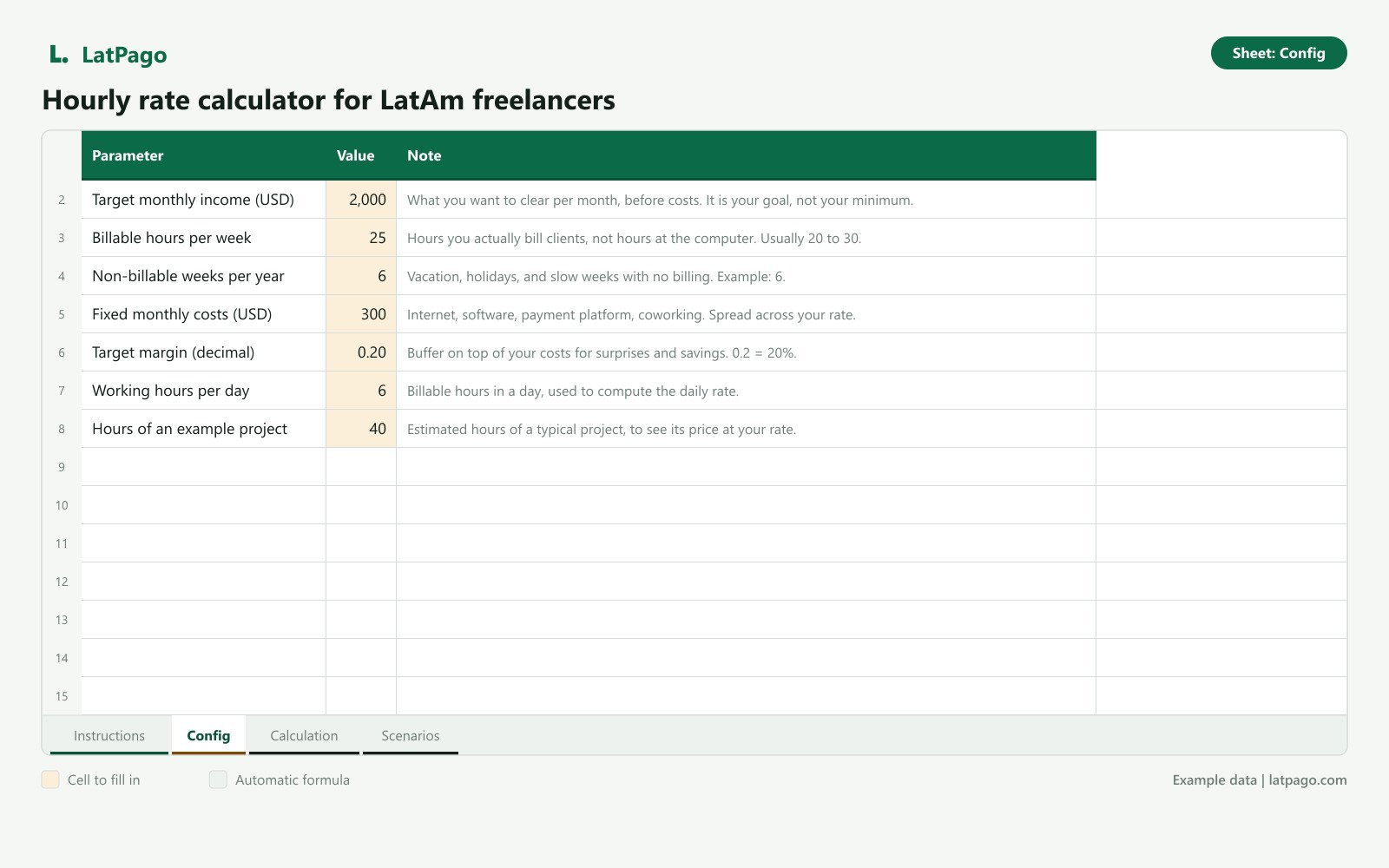
- Config sheet: target monthly income, billable hours per week, non-billable weeks per year, fixed costs, margin, working hours per day and hours of an example project. Every input has a note explaining what to enter.
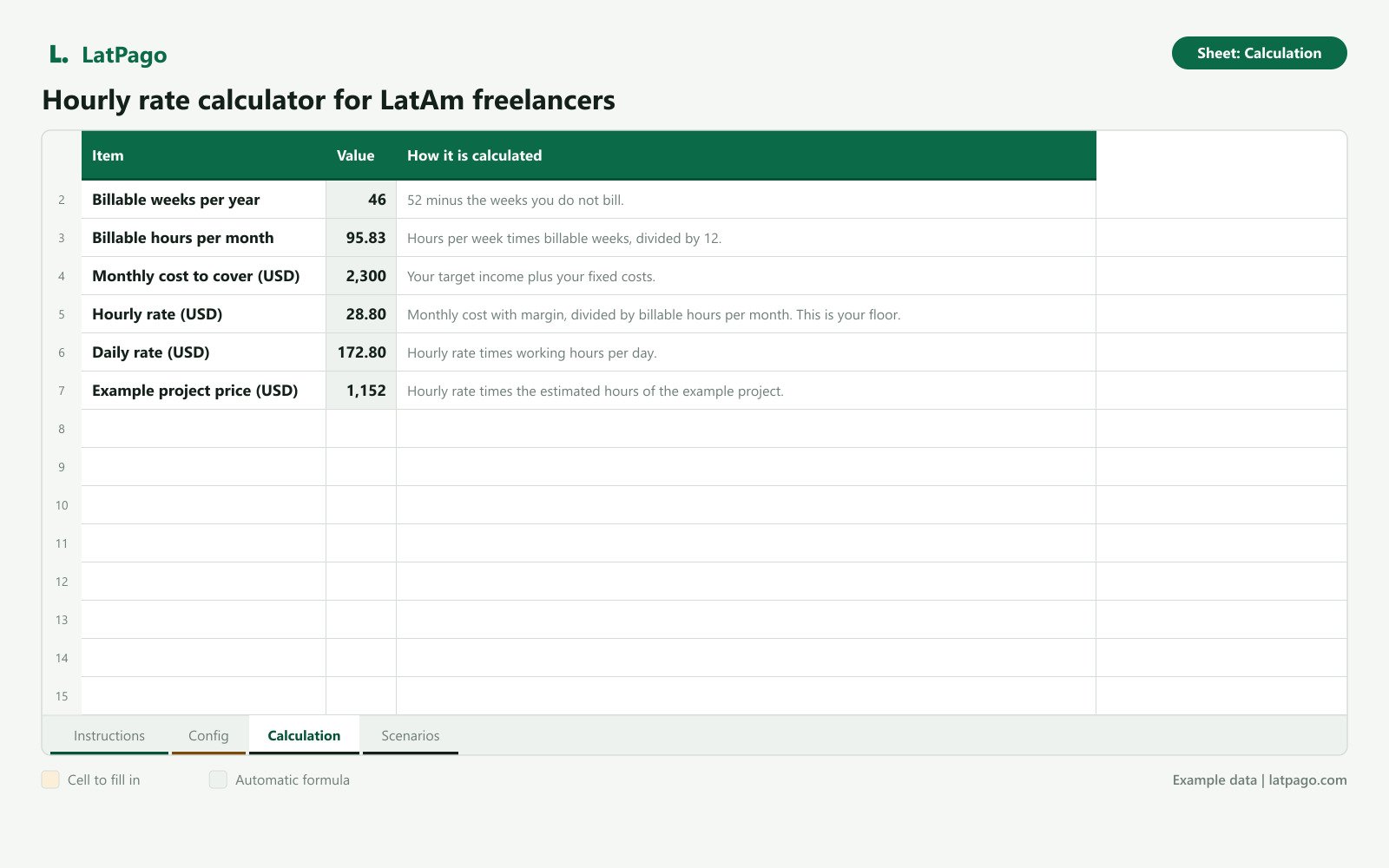
- Calculation sheet: billable weeks per year, billable hours per month, monthly cost to cover and your hourly rate (your floor), daily rate and example-project price, with a column explaining how each number is calculated.
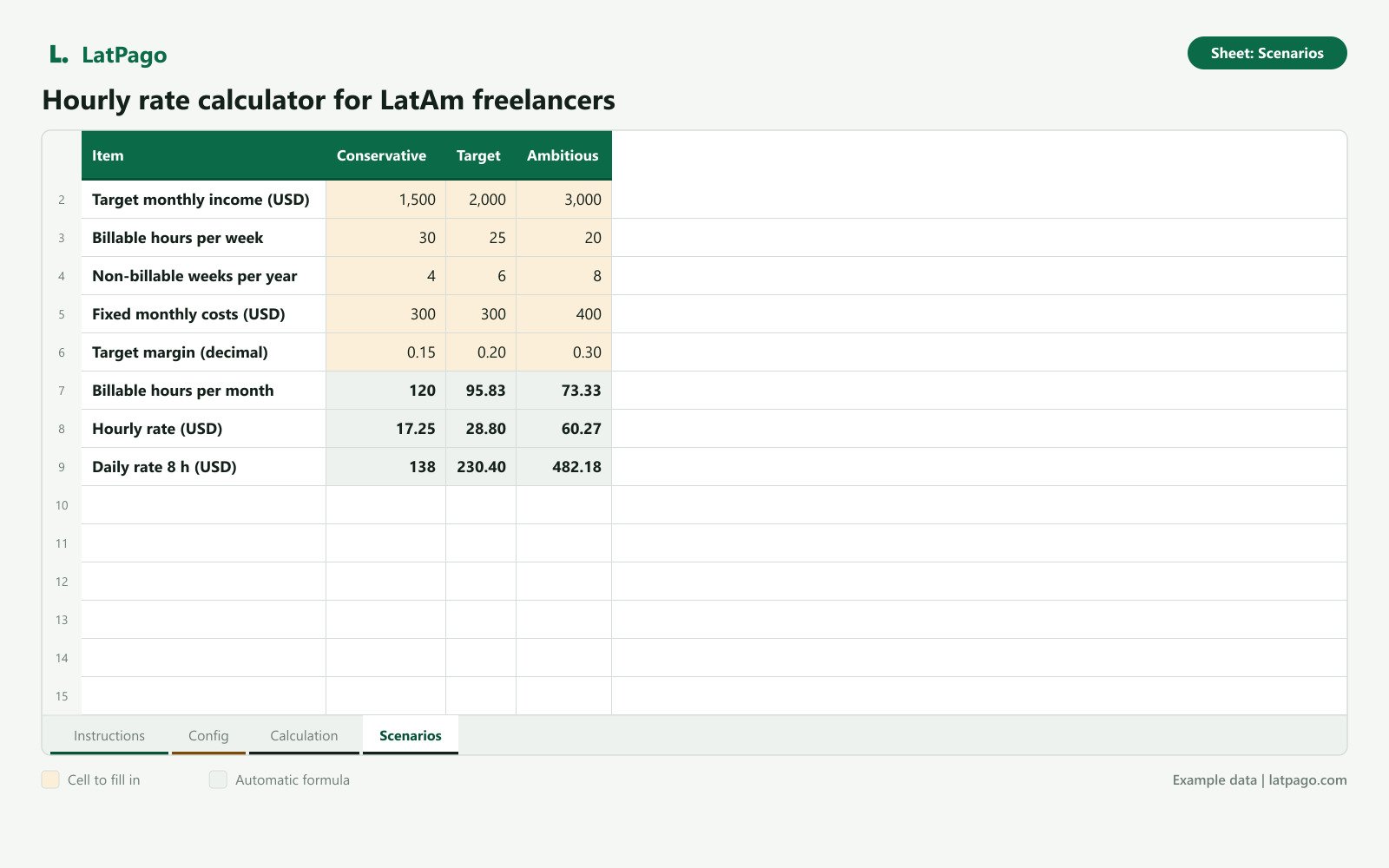
- Scenarios sheet: three columns (conservative, target, ambitious), each with its own income, hours, weeks, costs and margin, to compare monthly hours, hourly rate and 8-hour daily rate at a glance.
- Instructions sheet with a disclaimer and the next step.
- Spanish and English versions, in the same download.
Who it is for
- Latin American freelancers starting to quote international clients who do not know what to charge.
- Anyone who feels they work a lot and earn little and wants to check their rate with numbers.
What it does not do
- It does not track quotes, payments or platform fees: the USD quoting and payment tracker does that.
- It is not legal, accounting or tax advice.
Formats
.xlsx files (one in Spanish, one in English) inside a ZIP. Compatible with Excel 2016 or later, Google Sheets (File > Import) and LibreOffice Calc.
FAQ
Is it really free?
Yes. You download it by leaving your email and receive LatPago updates. You can unsubscribe anytime.
What do I get after leaving my email?
An email with the download link for the ZIP, which holds both .xlsx files (Spanish and English). You can use that same link to download it again.
Do I need to know Excel?
No. You fill in the colored cells in the Config sheet and the Calculation sheet shows your rate on its own. Every input has a note explaining what to enter.
Is the result what I should charge?
It is your floor: the minimum per hour to reach your goal while covering costs and margin. What you charge each client also depends on the market, your experience and the project.
How is it different from the paid spreadsheet?
The calculator gives you the rate. The USD quoting and payment tracker is the next step: quoting each project with that number, tracking what was accepted and logging every payment with its fees to see what is left.
Does it work in Google Sheets?
Yes. Import the .xlsx file from File > Import and the formulas are preserved.
Our products and articles are practical tools and informational content. They are not legal, accounting or tax advice. Every country and every payment platform has its own rules: talk to a professional before making tax decisions.